In this guide, you'll learn how to update your campaign's daily budget (after launching your funnel).
Kindly note that updating your daily budget will reset your ads' learning phase. To learn more about the learning phase and best practices, please visit this guide: About The Learning Phase.
Steps:
- On your Easy Ads for Facebook dashboard, click on Your Budget.
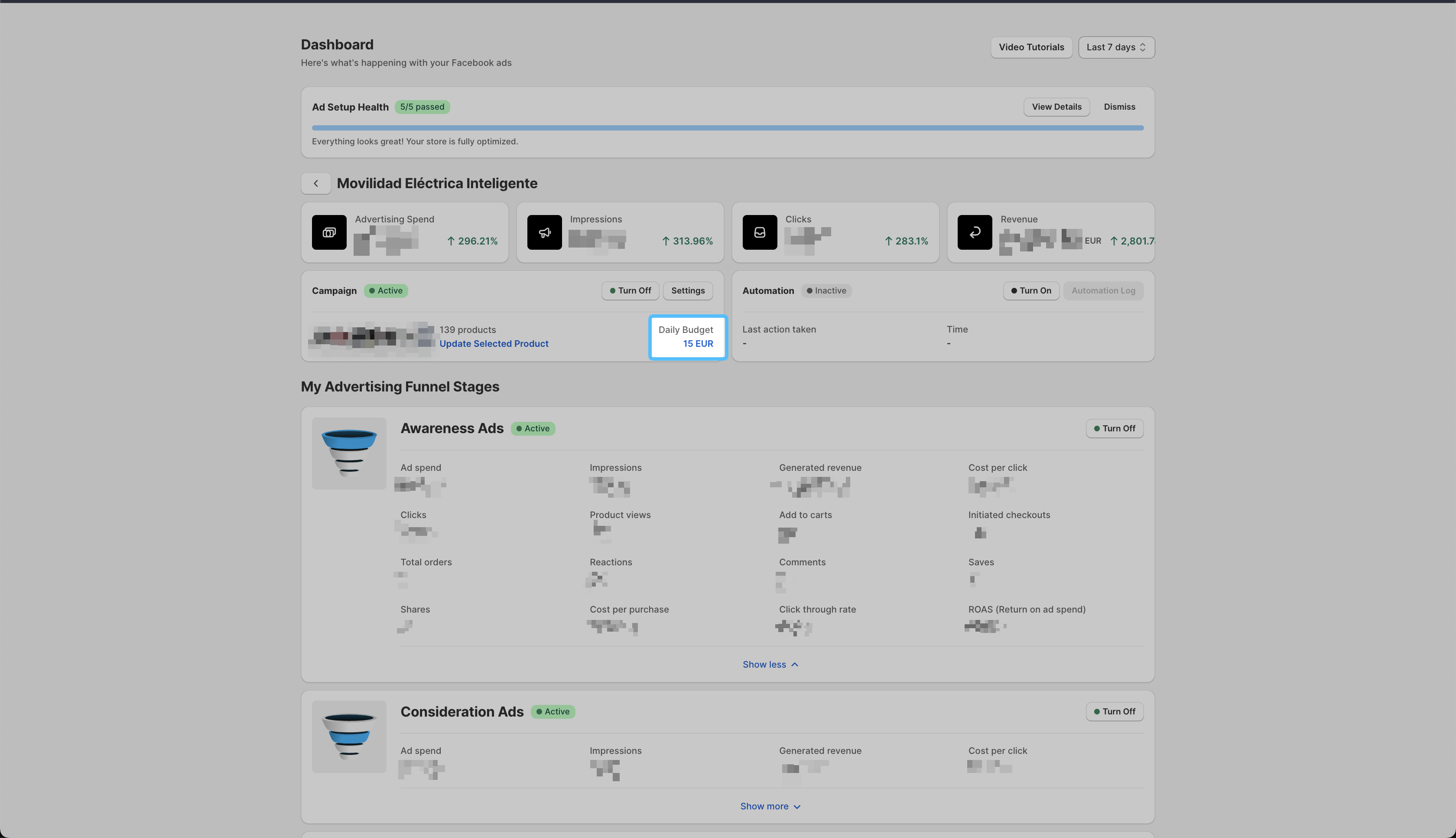
- A new pop-up will open; enter the new daily budget you want to set.
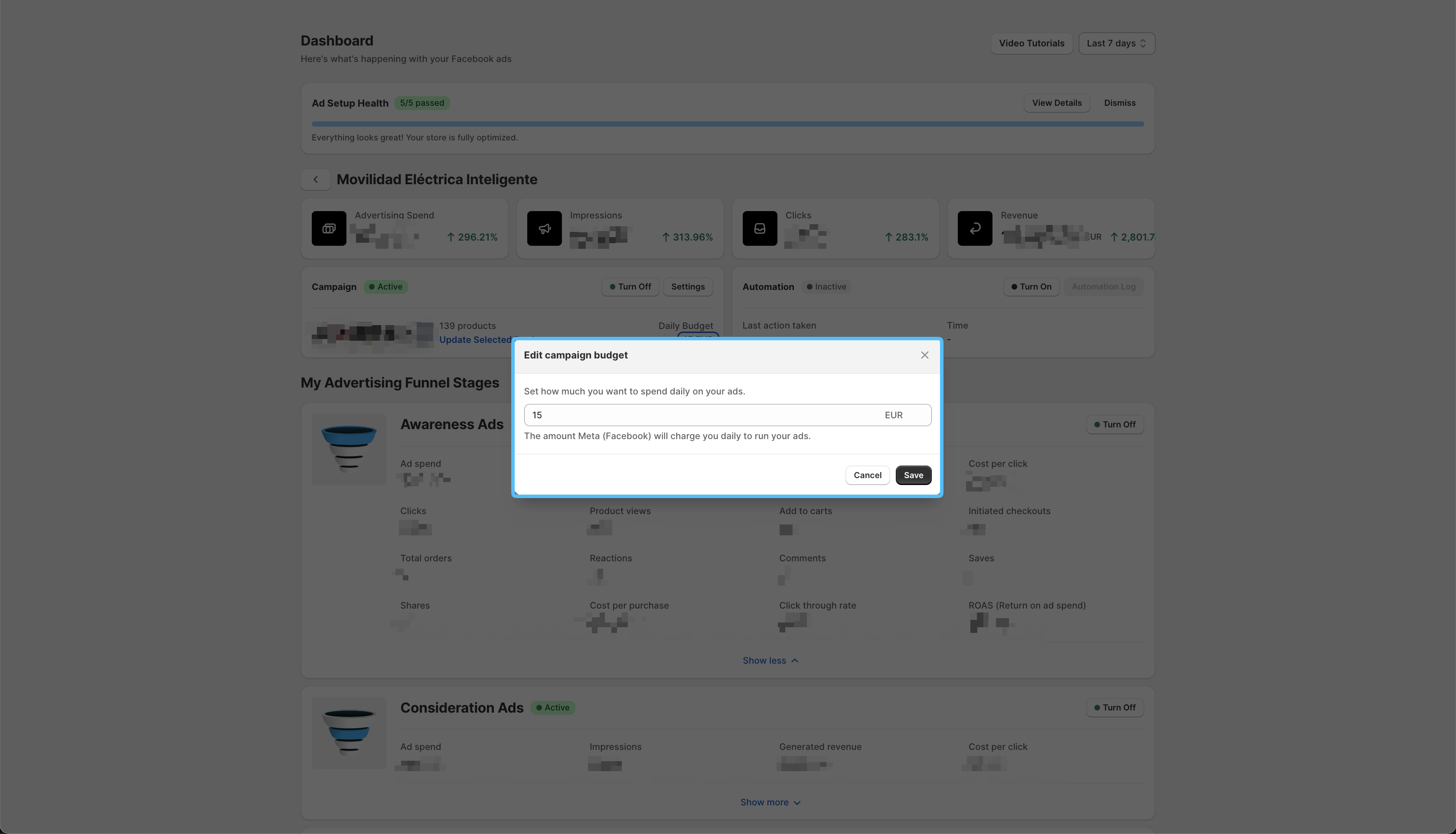
| The currency displayed here is your ad account's currency.
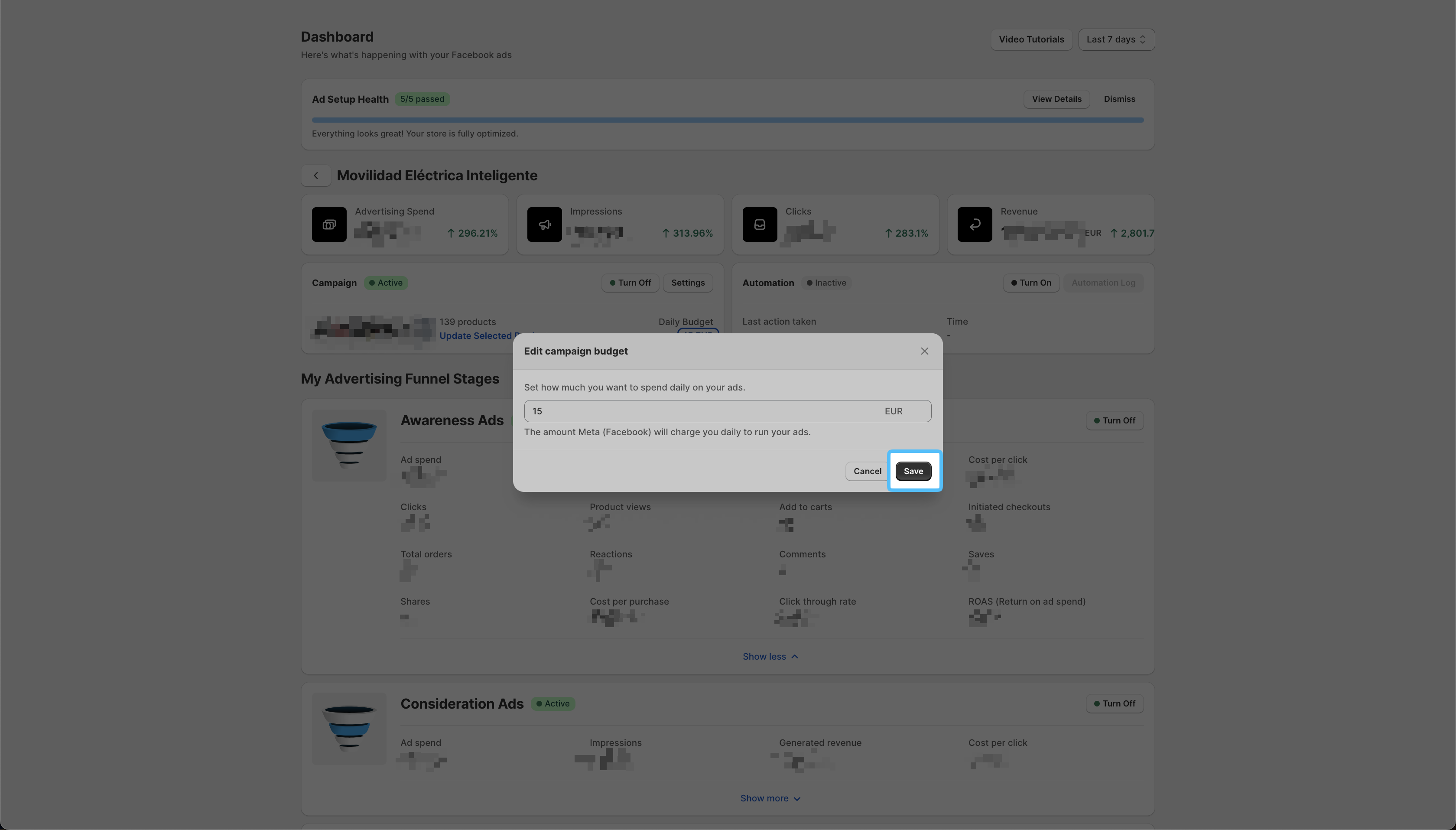
- Click on the Save button.
The daily budget is separate from Easy Ads' monthly fee. This is due to the fact that the daily budget is paid directly to Meta from your ad account.