Error
You encounter the following error when you launch ads:
"We think that someone may have tried to access your account without permission. For your protection, you won't be able to create or modify ads until you've authenticated your account in Ads Manager. Your existing ads will continue to run normally".
Cause
This restriction is applied by Facebook when it detects unusual activity, such as:
- Log in from a new or unexpected location
- Sudden IP address changes
- VPN or proxy usage To protect your ad account, Facebook requires account authentication before allowing you to launch ads.
Before you start: turn off any VPN or proxy
VPN or proxy use is the most common trigger for this block, and authenticating while still connected can trigger it again straight away. Turn it off and use the device and network you normally log in from before doing the steps below.
Also switch off ad blockers for the session - they can stop Meta's authentication window from opening.
Step 1: Open your Ads Manager
- Go to: https://business.facebook.com/adsmanager to open your Ads Manager.
- Ensure you're logged in to the ad account you want to use.
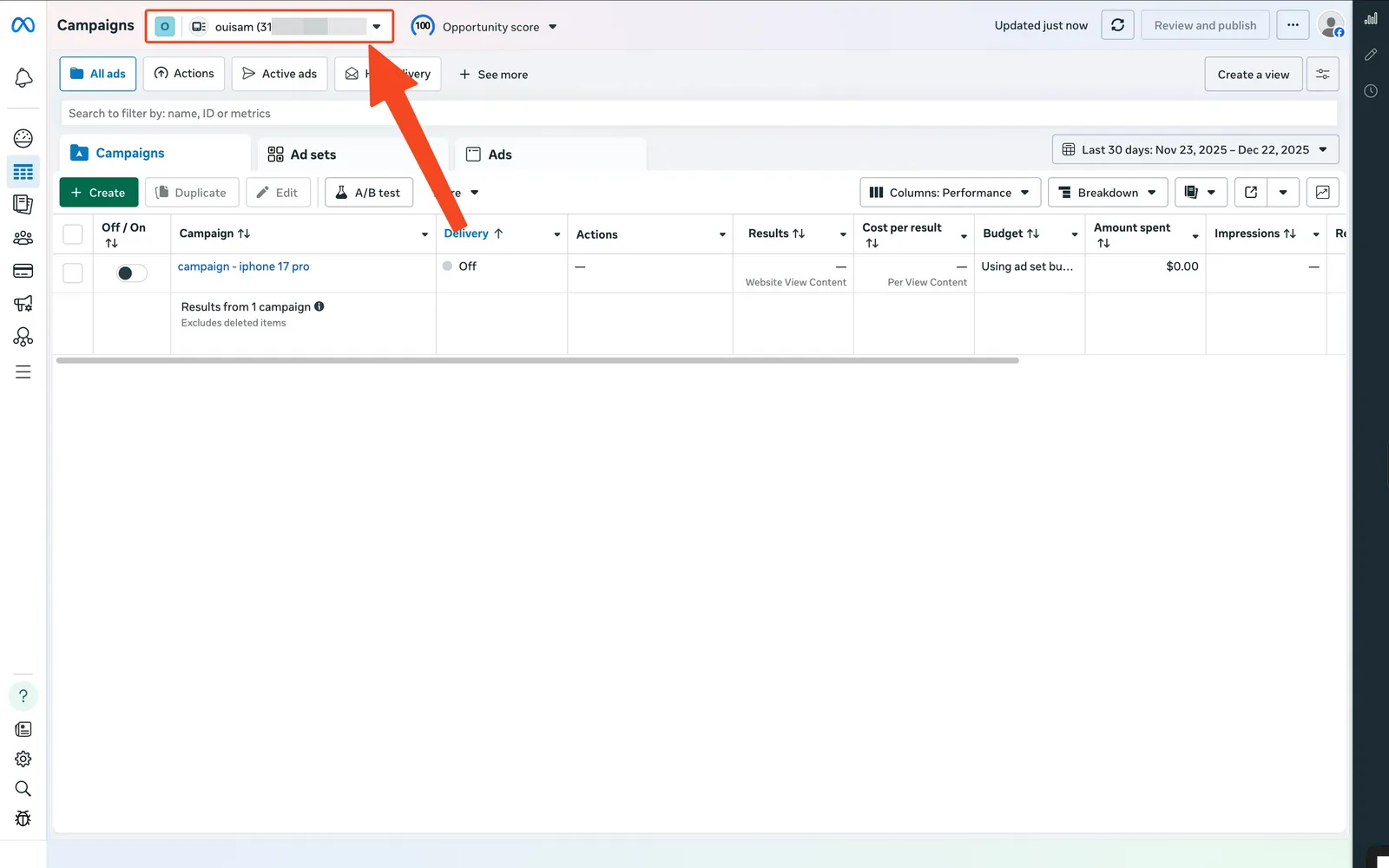
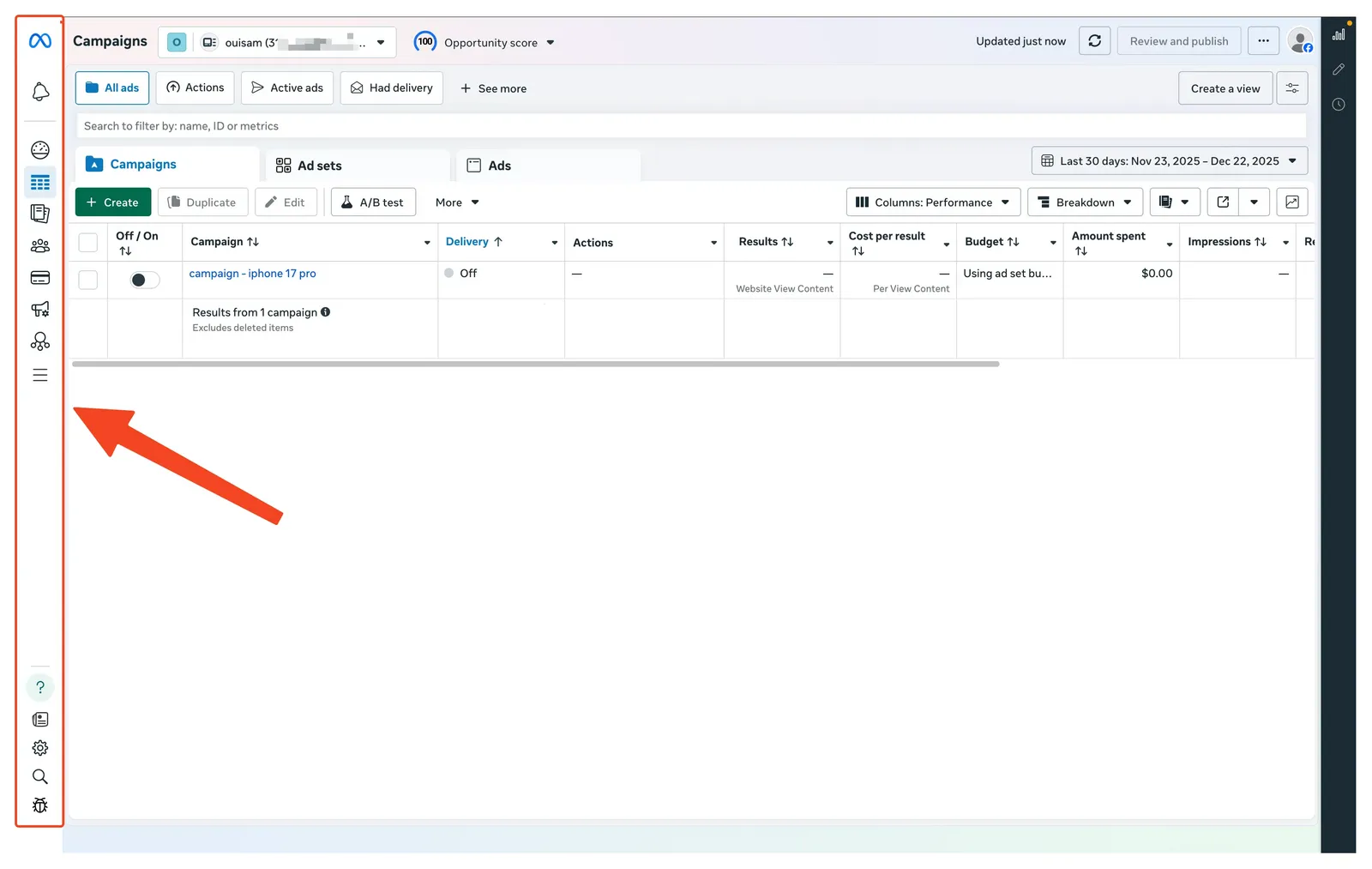
Step 2: Go to your Ad Account
- In your Ads Manager, click on the sidebar.
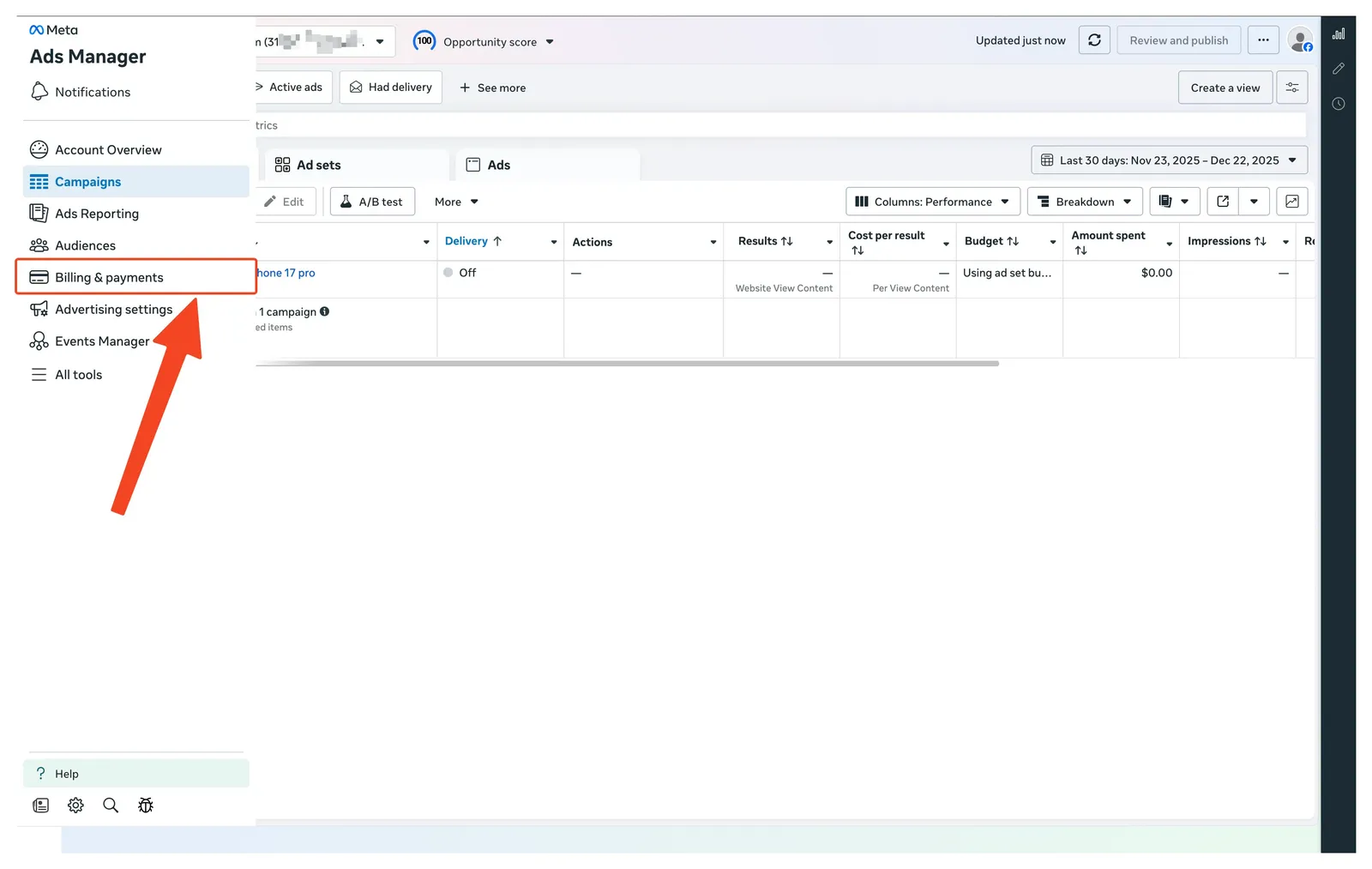
- Click on "Billing and payments".
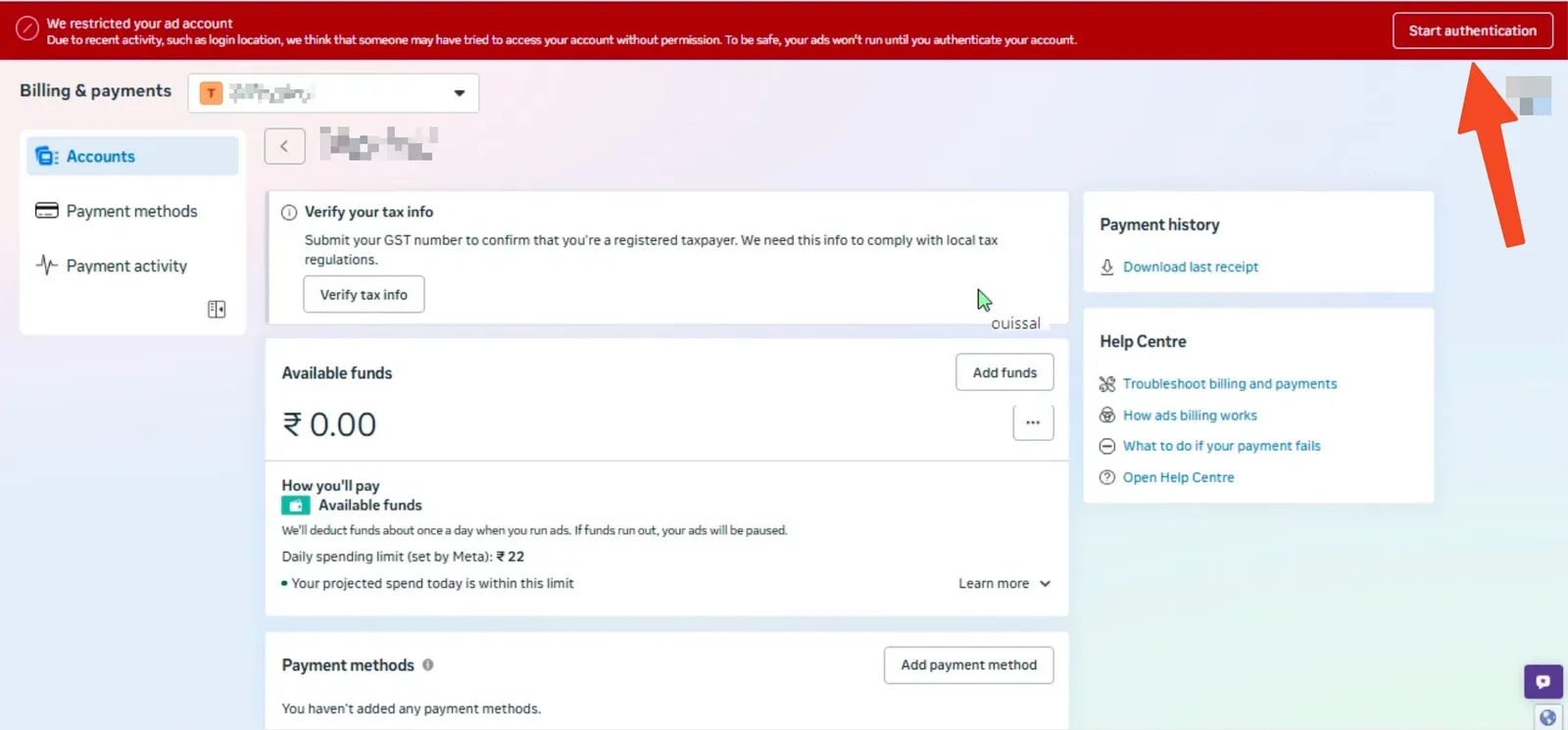
Step 3: Authenticate your Ad Account
- After you open your ad account, click on "Start Authentication".
 2. Add your email address.
3. Click on "Send Code".
4. Open your email inbox to copy the code and paste it.
2. Add your email address.
3. Click on "Send Code".
4. Open your email inbox to copy the code and paste it.
Step 4: Return to Easy Ads
- Return to Easy Ads.
- Refresh your screen
- Relaunch your ads.
If you can't find "Start Authentication"
Some ad accounts never show the button. If yours does not, do not keep retrying the launch - it will keep failing. Go to Facebook's Account Quality, open your ad account and request a review there instead.
Additional Tips
If you followed these steps, but the problem isn't solved yet. Then, you need to review your account status in Facebook’s Account Quality. You should ensure that your ad account complies with Facebook community guidelines.
Also, you need to make sure that you enabled two-factor authentication.
Still need help?
No worries! You can contact our support team at [email protected]. We would love to help!