In this guide, you'll learn how to update your the copy (text) of your ads after launching your funnel.
Kindly note that changing your ad copy will reset your ads' learning phase. To learn more about the learning phase and best practices, please visit this guide: About The Learning Phase.
Steps:
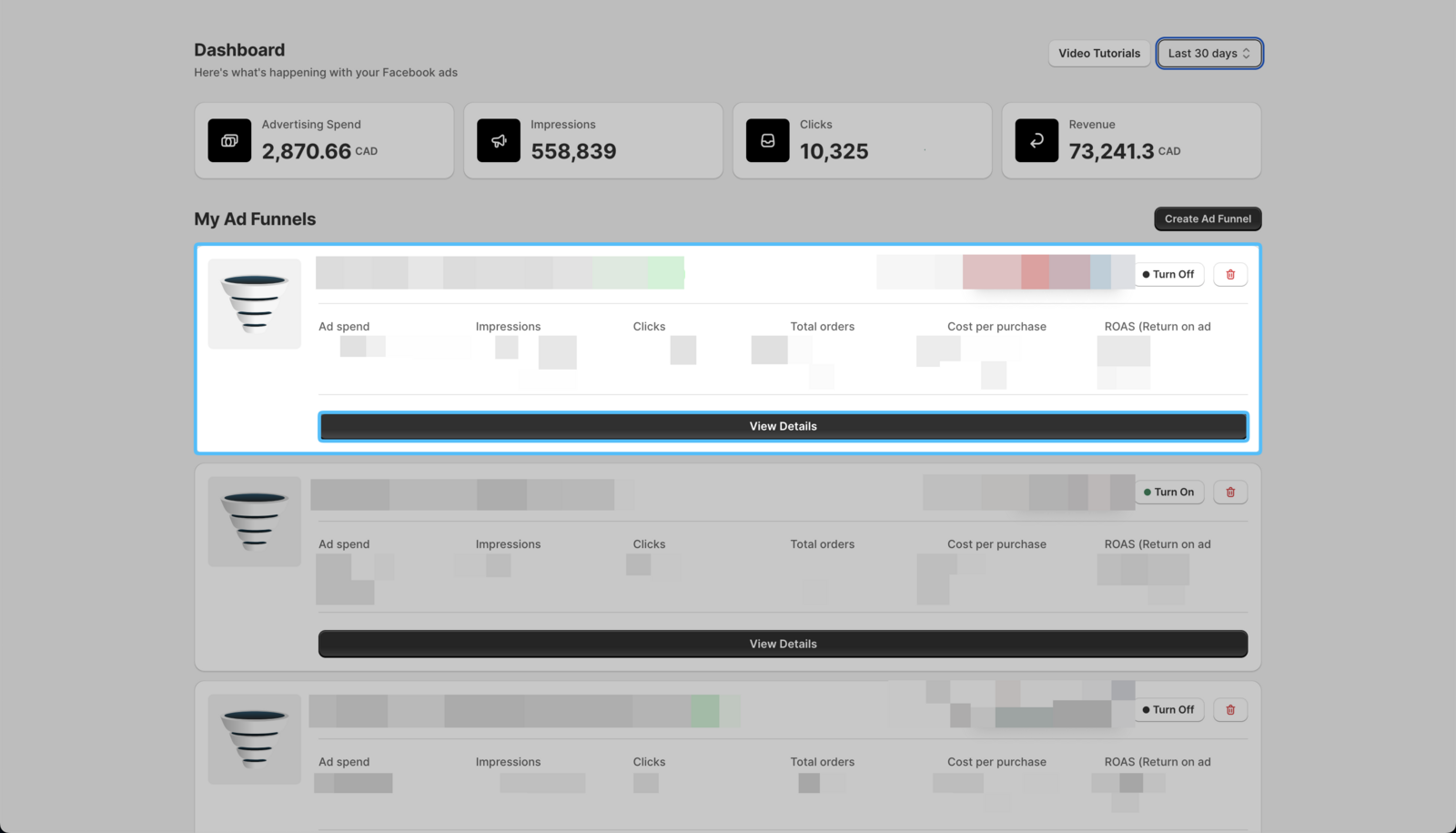
- On your Easy Ads for Facebook dashboard, locate the campaign you want to edit, and click on View Details.
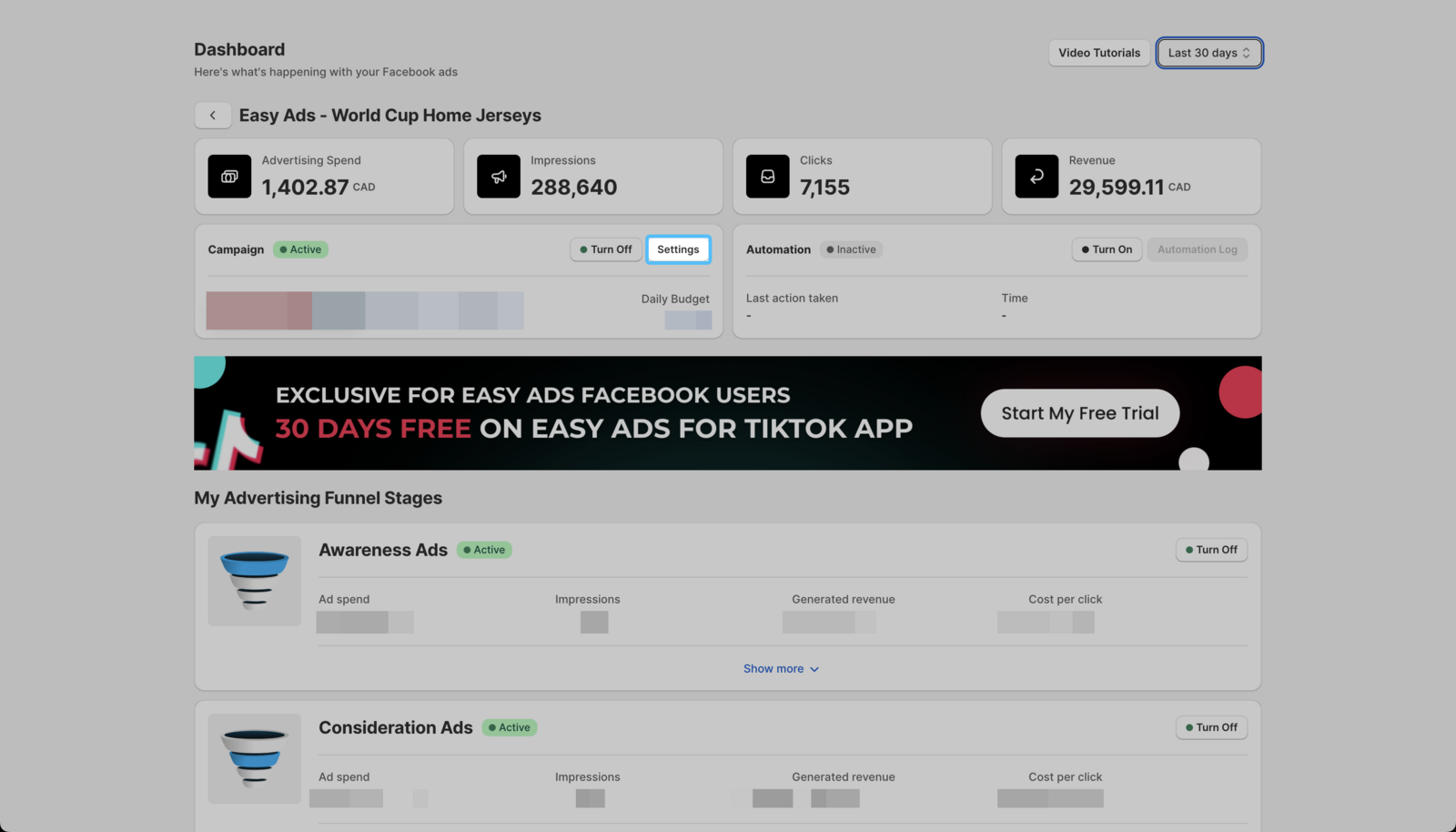
 2. Click Settings.
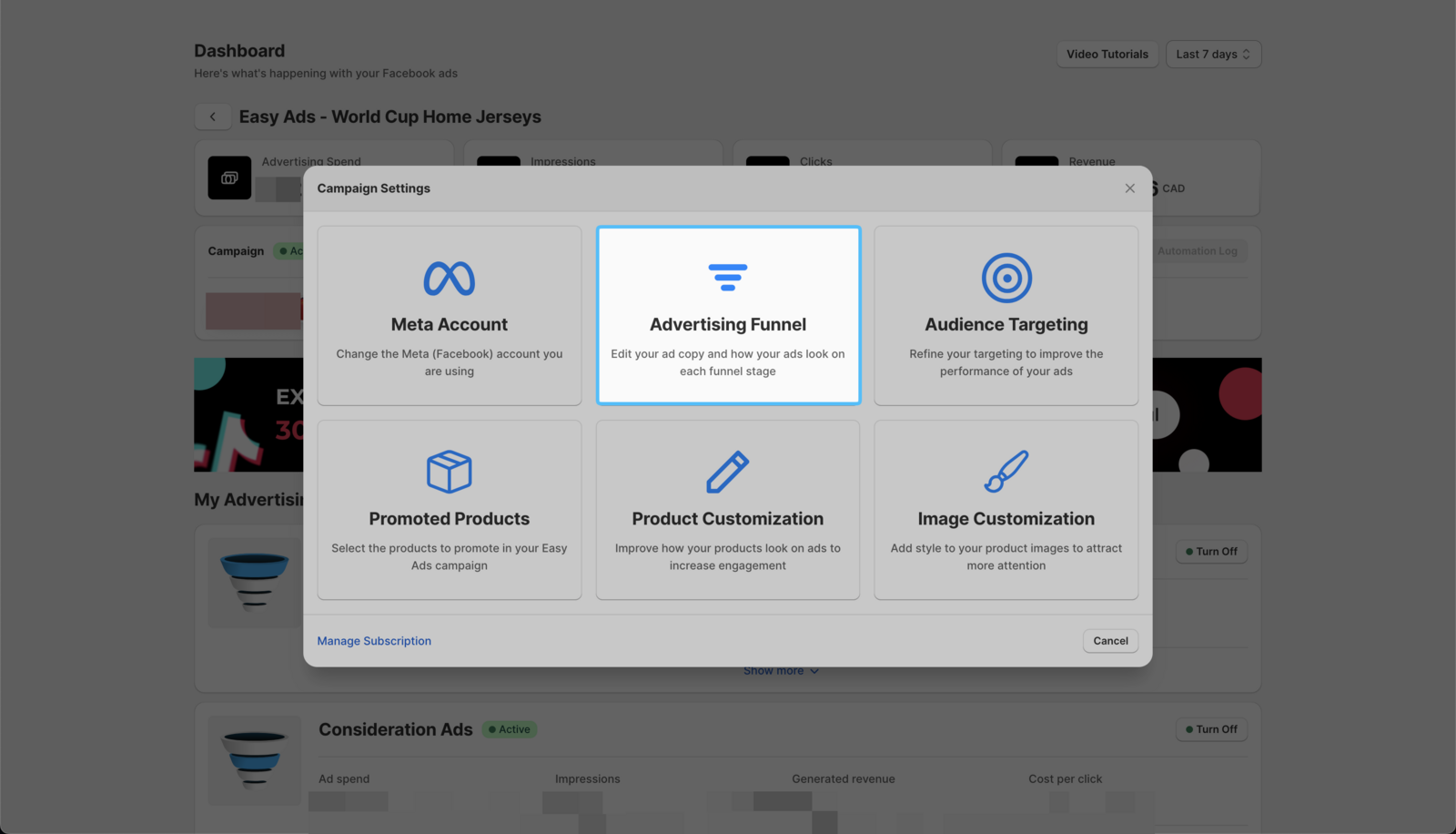
- Click on the Advertising Funnel option.
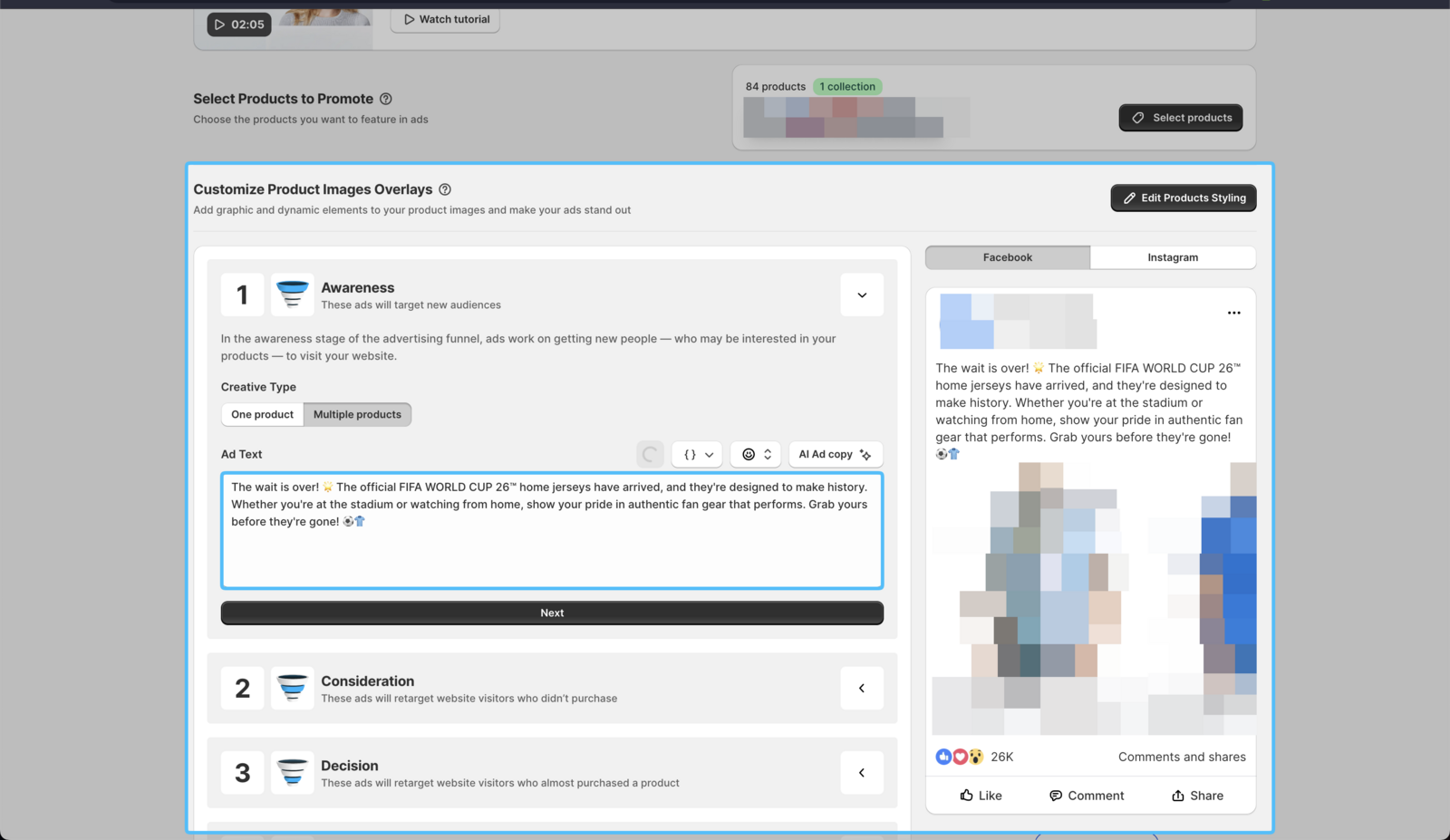
 4. Click on each funnel stage to re-write your ad copy.
| If you need guidance to write better ad copy, you can consult this step by step copywriting guide: How to Write Facebook Ads Copy That Sells.
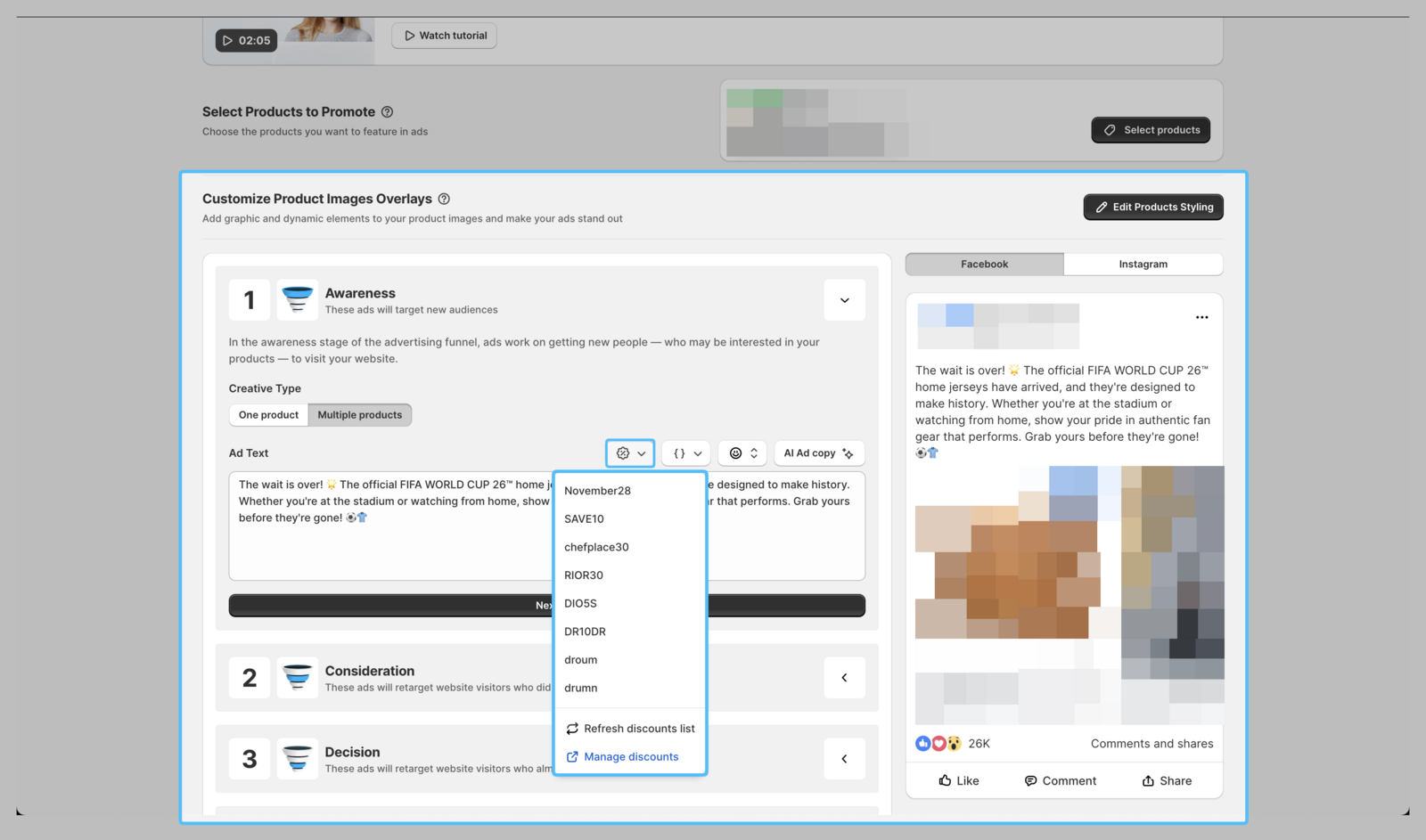
- Optional: Add a discount to encourage people to buy. The app syncs discounts you have set up on your Shopify store.
- Optional: Add a variable to personalize your ad copy.
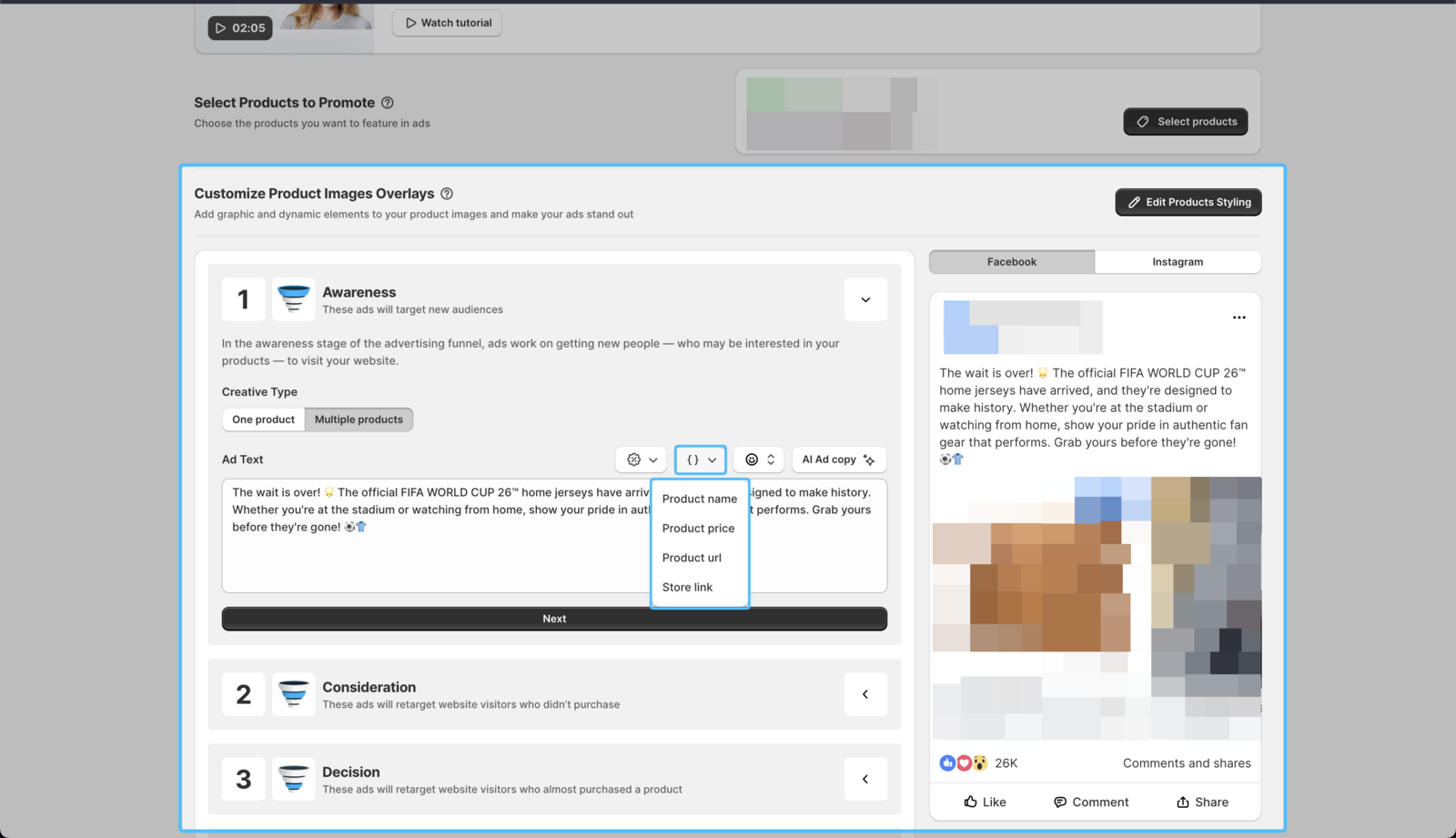
| There's no need to edit the content inside the {}; the app will automatically display the correct variable based on the product your audience is seeing.
- Click on **Launch **→ Update My Ads to save your changes.
Your ads will be set back into review. Once reviewed and approved by Meta, your ads will run again.