What Languages Does Easy Ads Support?
You may use Easy Ads in the language that you are most familiar with because it is accessible in six different languages. The languages that are supported are as follows:
- English
- French
- Spanish
- German
- Portuguese
- Portuguese (BR)
How to Change the Language in Easy Ads:
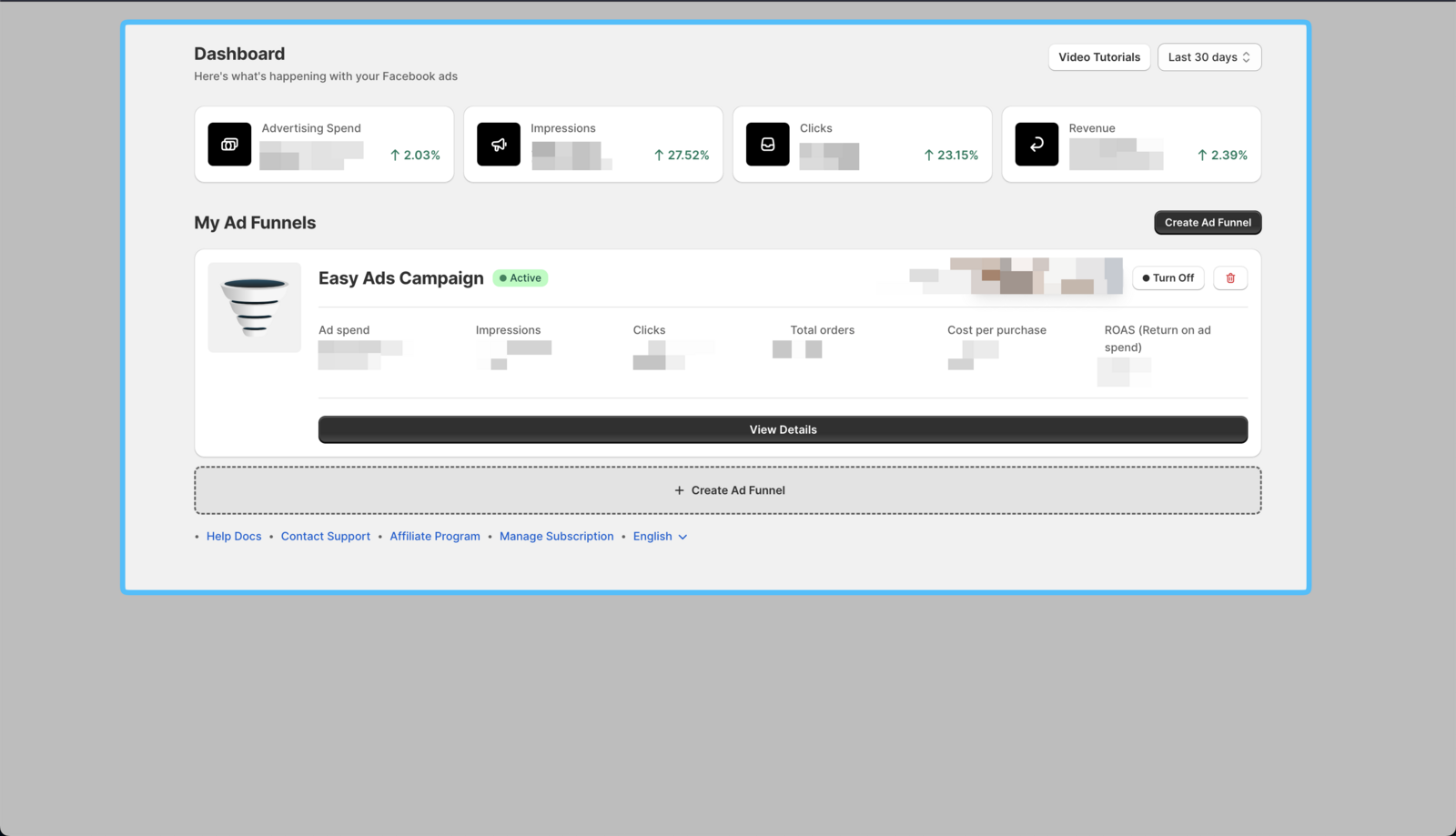
- Open Easy Ads Dashboard
From your Shopify dashboard, log in to your Easy Ads account.
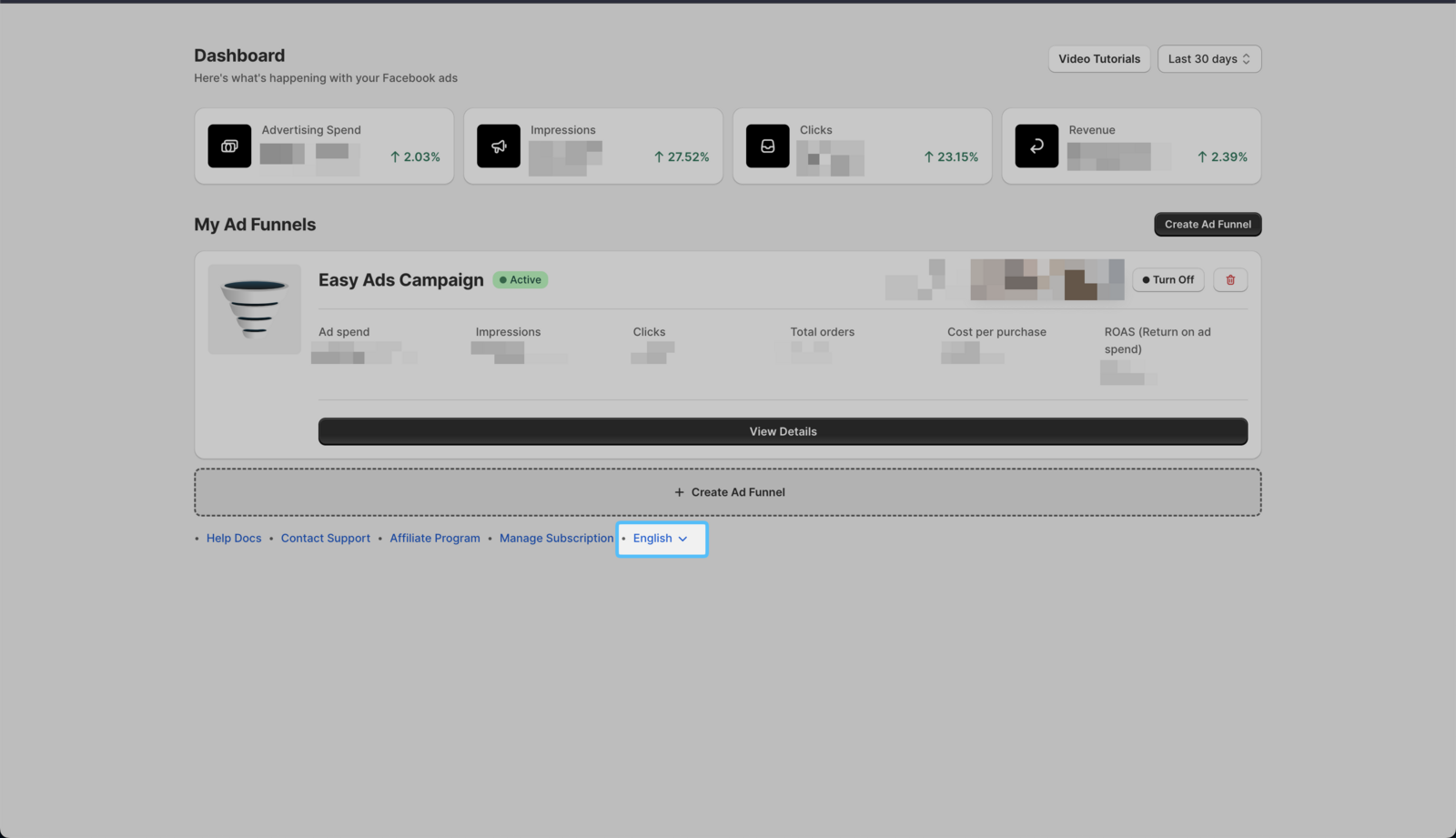
- Click on the Languages Menu
You can find the languages menu at the bottom of your Easy Ads dashboard.
- Select your Preferred Language
Click on your preferred language from the list. The dashboard will automatically refresh.
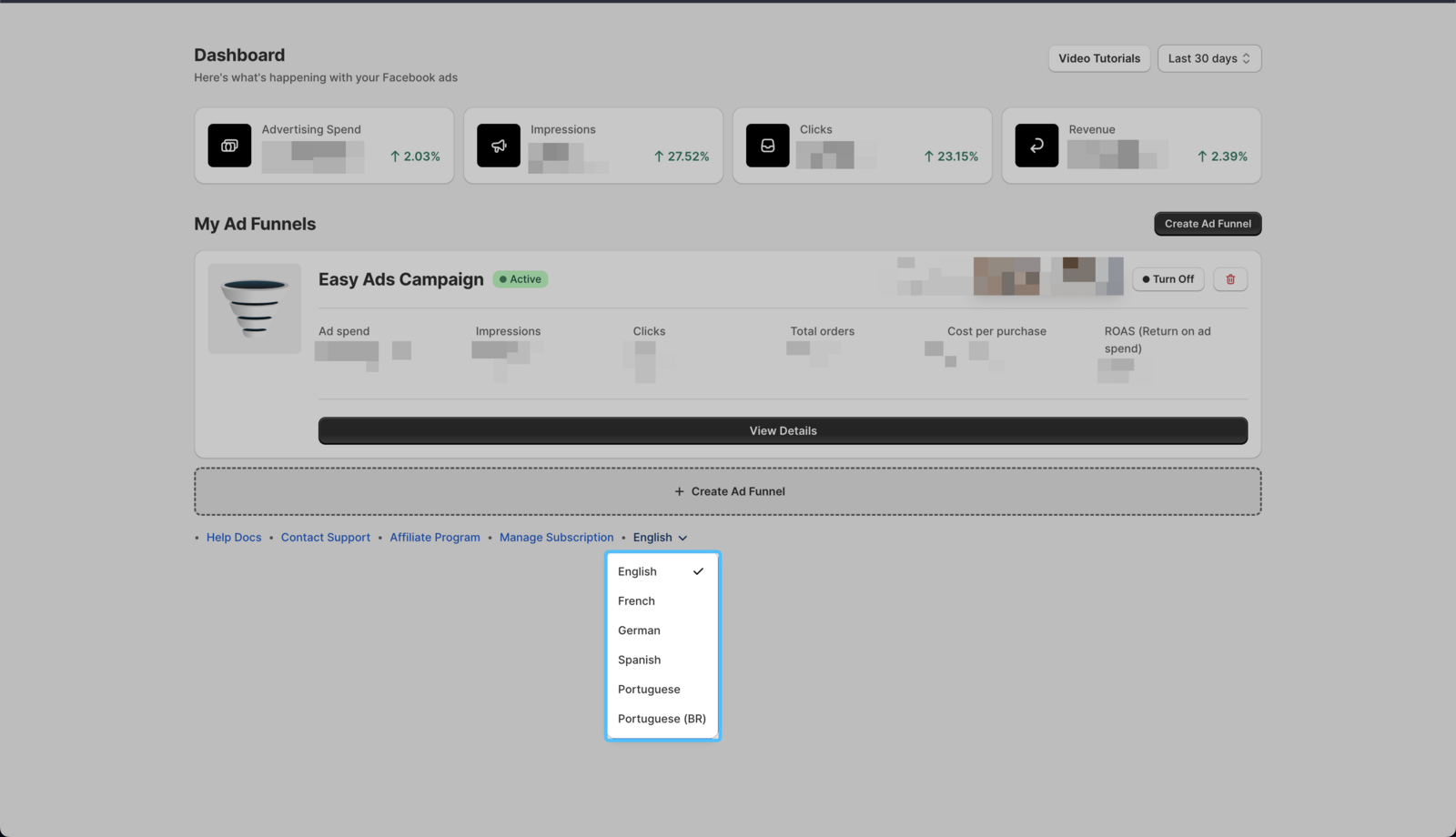 Your dashboard will instantly update to the selected language.