How to Upload Your Video to Easy Ads
Got a video of your product? Use it. Video ads allow shoppers to see your product in action before they even land on your store.
Uploading your own video to Easy Ads only takes a few clicks:
-
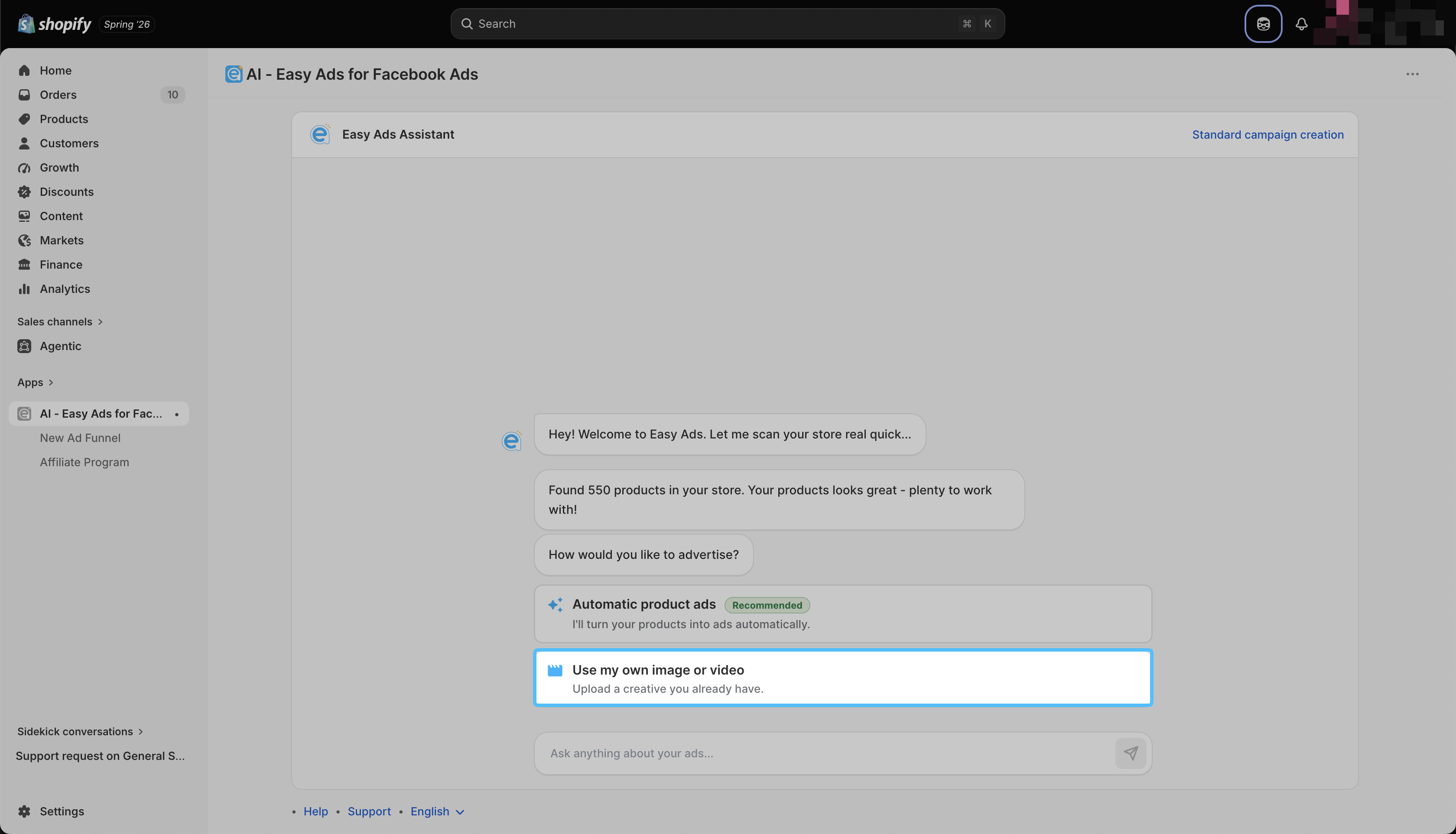
Open Easy Ads in your Shopify store.
-
Click "Use My Own Image or Video."
- Drag your file in, or click to browse and upload it.
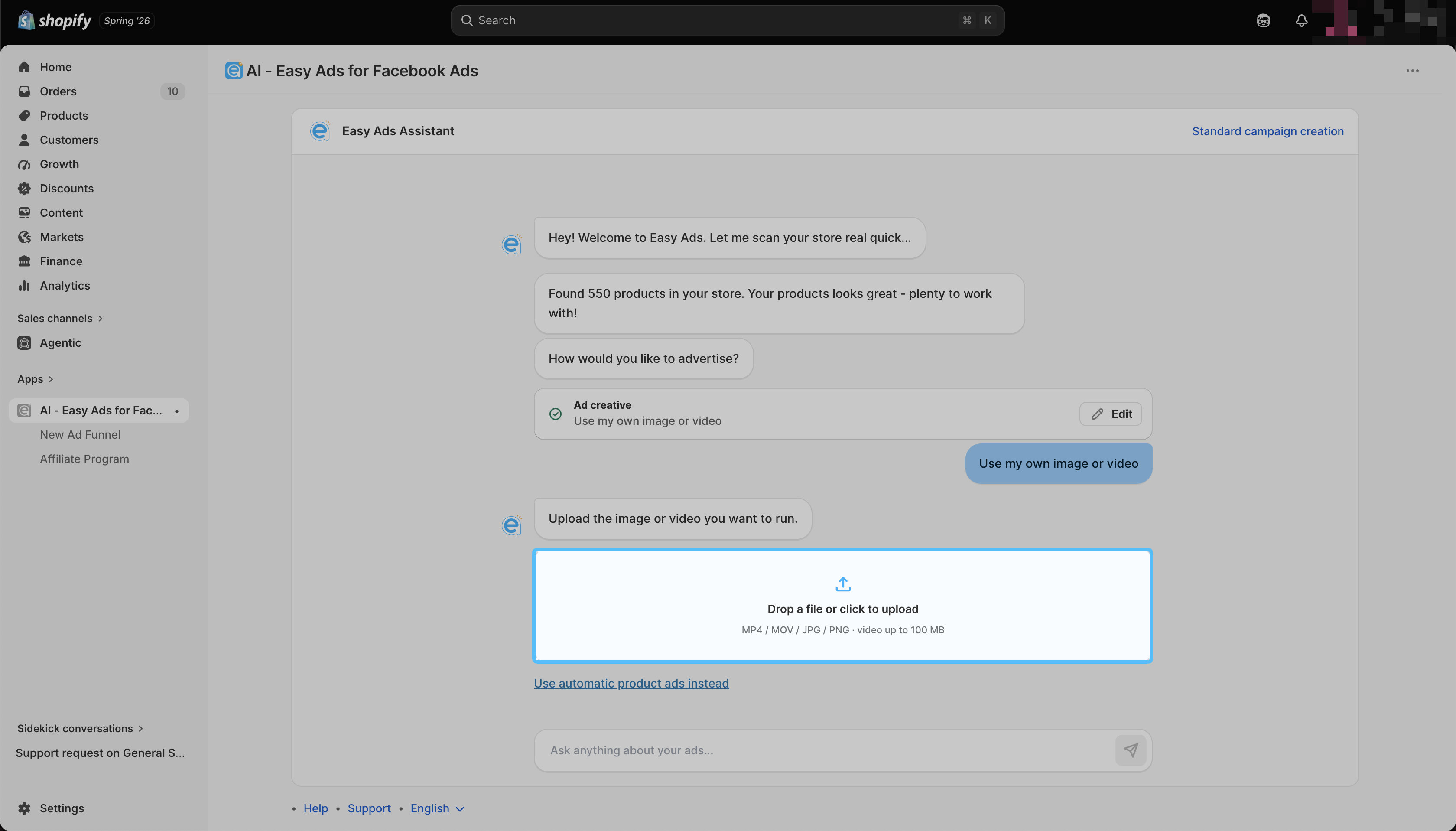
Your video should be live and ready to use in your ads in under a minute.
Note: Easy Ads supports MP4, MOV, JPG, and PNG files. Videos need to be 100 MB or smaller.
Troubleshooting
My video isn't uploading. First, check the format and size. It needs to be MP4 or MOV, and under 100 MB. If that all checks out and it's still stuck, try refreshing the page or switching browsers before uploading again.
Can I swap out a video later? Yes. You can edit your ad creatives anytime you want.
Still stuck? Message us through in-app live chat or email [email protected], and we'll love to assist.